Test and understand results
Goal: evaluate a completed checkpoint and inspect how it navigates.
Run a validation workload
pixi run test --suite validation
The selected robot's navigation run is preferred over its smoke run. DWARL prints the resolved run, iteration and hash before executing. For explicit selection:
pixi run test --run runs/<run> --checkpoint best --suite validation
best requires completed periodic validation during training. An iteration number
pins a checkpoint; latest selects the latest completed checkpoint in the selected run.
Read the result
Open the report after testing. The terminal table is only a summary; the browser report contains controller comparisons, individual outcomes and linked plots.
pixi run dwarl report --open
This opens the latest recorded result for the selected run. To avoid opening an older or interrupted result, use the exact directory printed by the test command:
pixi run dwarl report runs/<run>/tests/<test-id> --open
The page lives at runs/<run>/tests/<test-id>/report/index.html.
Check its Status, checkpoint and Completed counts before interpreting it.
episodes.json updates during testing; the summary and plotted report are generated
at completion or interruption. An interrupted report can contain all cases for the
first controller, some for the next, and none for controllers that never started.
Missing sections do not mean those controllers passed or failed.
Start with completed cases, success and collision rates. Inspect failed episodes, their trajectory and command/measured-motion plots. Missing measurements are shown as unavailable. A finished workload is not automatically a passed workload.
See the report reading guide and remote-copy instructions.
What an episode plot looks like
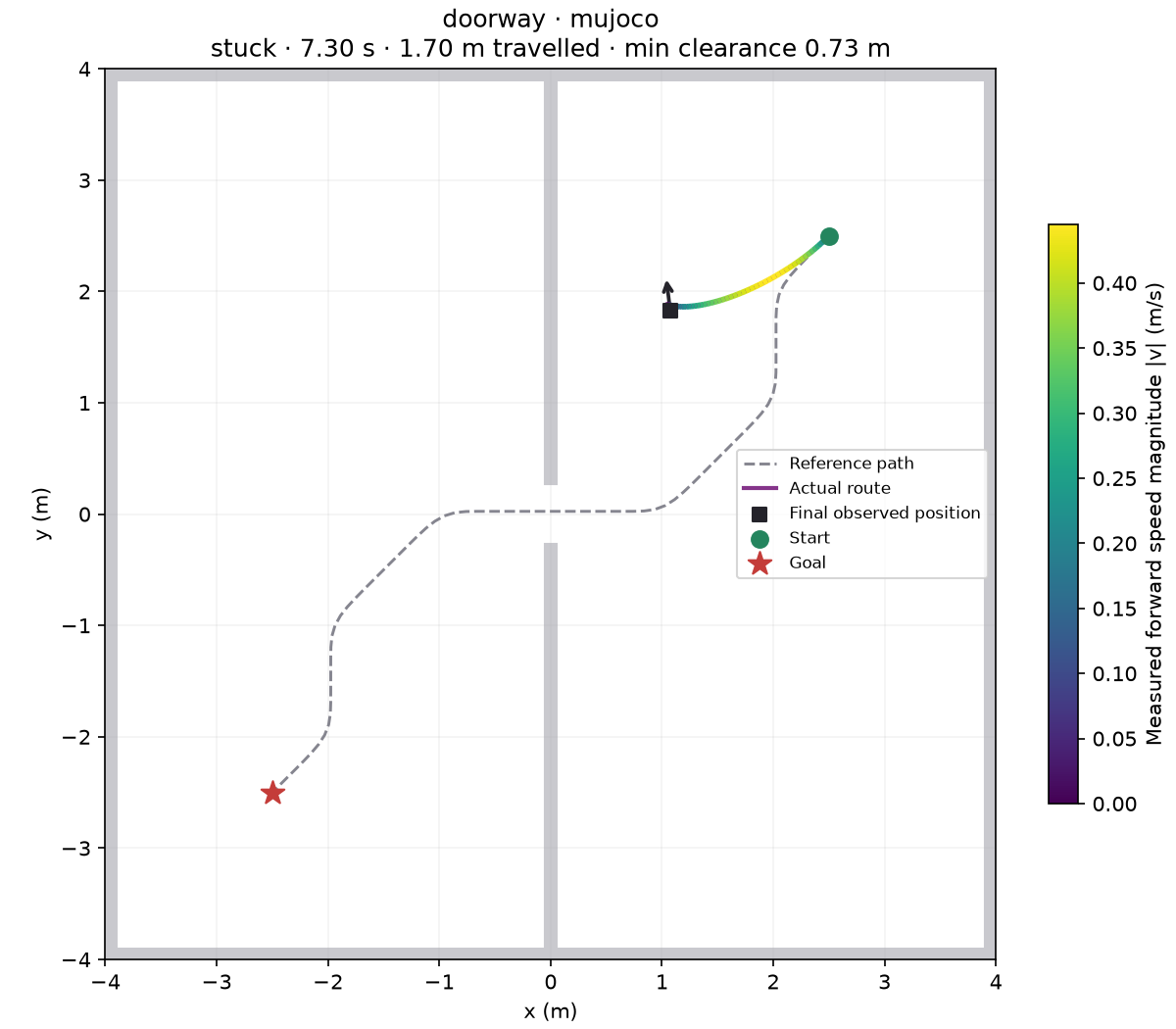
This is an illustrative smoke run of the public testbot fixture, not a navigation-quality result.
| Exit code | Meaning |
|---|---|
0 |
Workload passed |
1 |
Completed workload failed navigation criteria |
2 |
Input or infrastructure failure |
130 |
Interrupted; available partial results retained |
Expand evaluation
pixi run test --case doorway --show
pixi run test --sim both --suite validation
Gazebo requires a checked adapter. Default tests run at most 32 cases
per simulator; --set test.max_cases=3 gives a shorter check.
Choose candidates on validation. Once the candidate is frozen, run the held-out test suite with an explicit run/checkpoint:
pixi run test --run runs/<run> --checkpoint <iteration> --suite test